What you will learn
- What tmux is useful for in remote engineering work.
- How sessions, windows, and panes fit together.
- How tmux supports repeatable terminal workflows.
Problem statement
DevOps and SRE work often happens in terminals: remote hosts, logs, deploy commands, troubleshooting scripts, and long-running tasks. Without a terminal multiplexer, losing a network connection can also mean losing the work context.
When this matters in real work
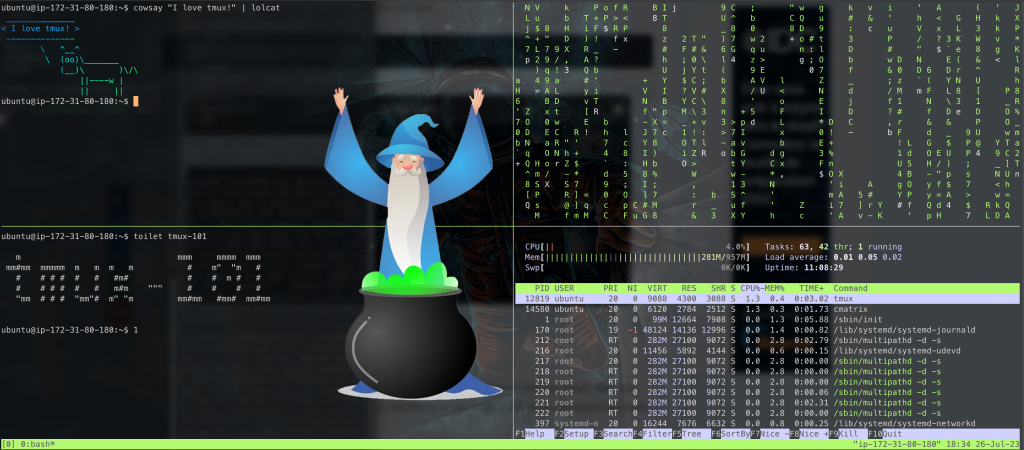
tmux is useful when you SSH into servers, keep long-running commands open, compare logs beside commands, or want a stable workspace that survives disconnects. It is not a replacement for proper automation, but it is a practical tool for day-to-day operations.
Core concepts
- Session: a persistent workspace that can survive after you disconnect.
- Window: a tab-like workspace inside a session.
- Pane: a split terminal area inside a window.
- Prefix: the key sequence tmux uses before most commands, usually Ctrl-b by default.
Basic workflow
tmux new -s deploy
# run commands, split panes, inspect logs

# detach with: Ctrl-b then d
tmux attach -t deploy
tmux ls
Useful patterns
- Keep one pane for logs, one pane for commands, and one pane for notes or status checks.
- Name sessions after the task, such as incident-review, deploy, migration, or lab.
- Detach before closing your laptop or moving networks.
- Use tmux for interactive work, but move repeated operational procedures into scripts or automation.
Common mistakes
- Running critical one-off commands manually when they should be automated or reviewed.
- Leaving sensitive output visible in shared terminals or recordings.
- Creating too many unnamed sessions and forgetting where work is happening.
- Using tmux as a substitute for observability, deployment tooling, or runbooks.
Summary
tmux gives you durable terminal workspaces for remote engineering work. Learn sessions, detach/attach, windows, panes, and naming habits first. That small foundation is enough to make terminal-heavy work more reliable.
Tmux cheat sheet for remote work
For DevOps and SRE work, tmux is most useful when it protects long-running SSH work and keeps related commands visible in one place. Keep this short cheat sheet close until the prefix keys become muscle memory.
| Need | Command or shortcut | Use it when |
|---|---|---|
| Create a named session | tmux new -s deploy-check |
You are starting a task that may outlive your SSH connection. |
| Detach safely | Ctrl+b d |
You need to leave the server but keep commands running. |
| List sessions | tmux ls |
You return to a host and need to find previous work. |
| Reattach | tmux attach -t deploy-check |
You want to continue exactly where you left off. |
| Split panes | Ctrl+b % or Ctrl+b " |
You want logs, a shell, and monitoring visible together. |
| Rename window | Ctrl+b , |
You have multiple windows and need labels that match the task. |
SSH disconnect scenario
Imagine you are connected to a jump host, checking a slow deployment, and your network drops. Without tmux, you may lose shell state and context. With tmux, start the work inside a named session first:
ssh bastion.example.com
tmux new -s deploy-check
kubectl get pods -w
# detach with Ctrl+b d before leaving, or reconnect later after a disconnect
tmux attach -t deploy-check
This habit pairs well with broader production-readiness practice. If you want help turning command-line workflows into a practical learning plan, the mentorship page explains how focused sessions work. You may also find the Linux process cwd guide useful when reconnecting to a host and reconstructing what a process is doing: find a Linux process working directory from its PID.